Coming soon for iPhone, iPad and the web
Know every job was done, and prove it to your clients.
For businesses that look after places for someone else. Your staff log each recurring job in two taps and a photo. You see who did what, where and when, without a phone call, and your clients get a monthly report.
One record, whatever you look after
Made for teams that look after places for someone else
Examples with made-up names and places. Built for businesses in the UAE with 3 to 30 frontline staff.
The owner's side
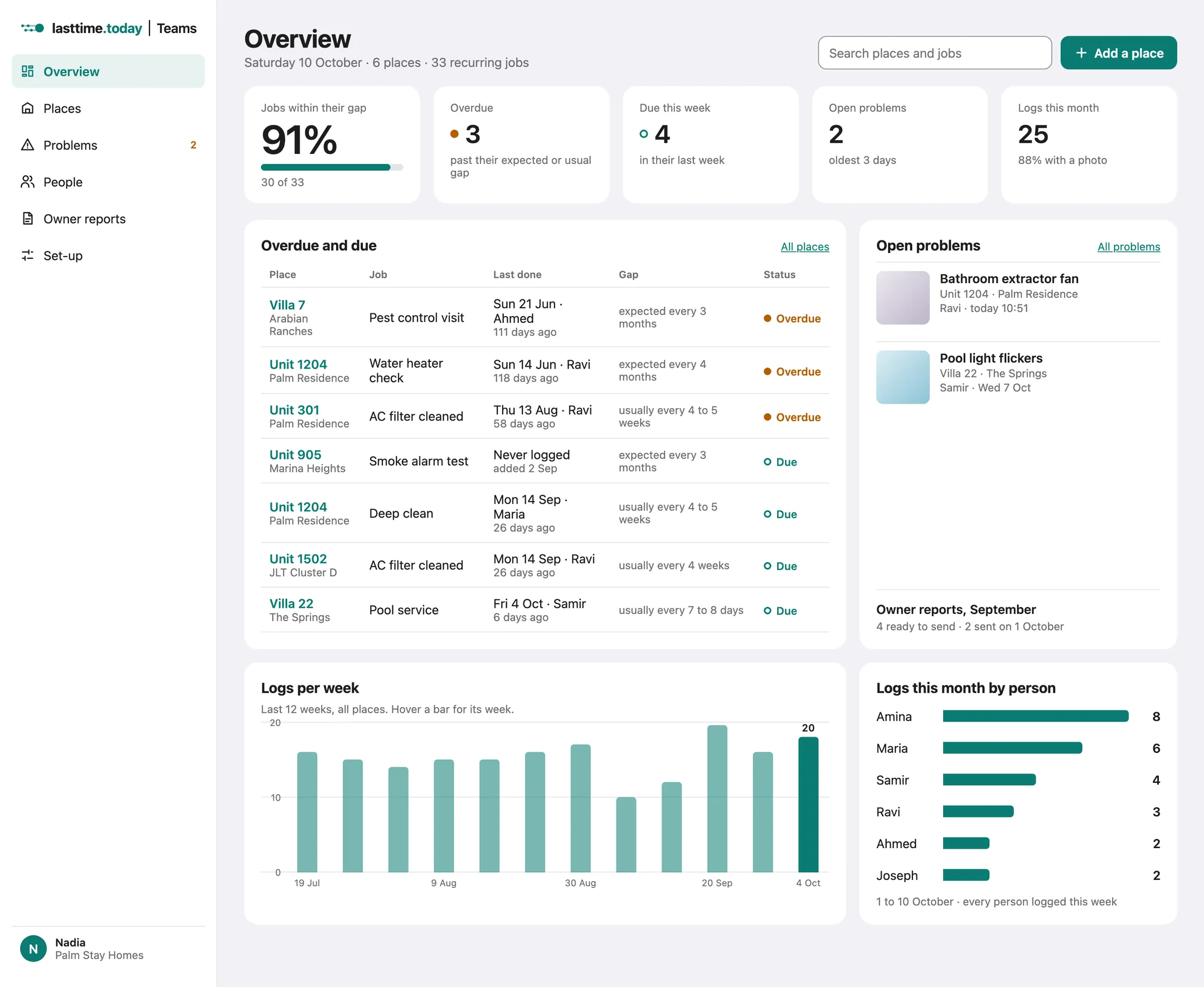
How Nadia runs six holiday homes from one screen
Set up once, then the record builds itself as her team works. Every screen below is from the Teams prototype, with made-up data.
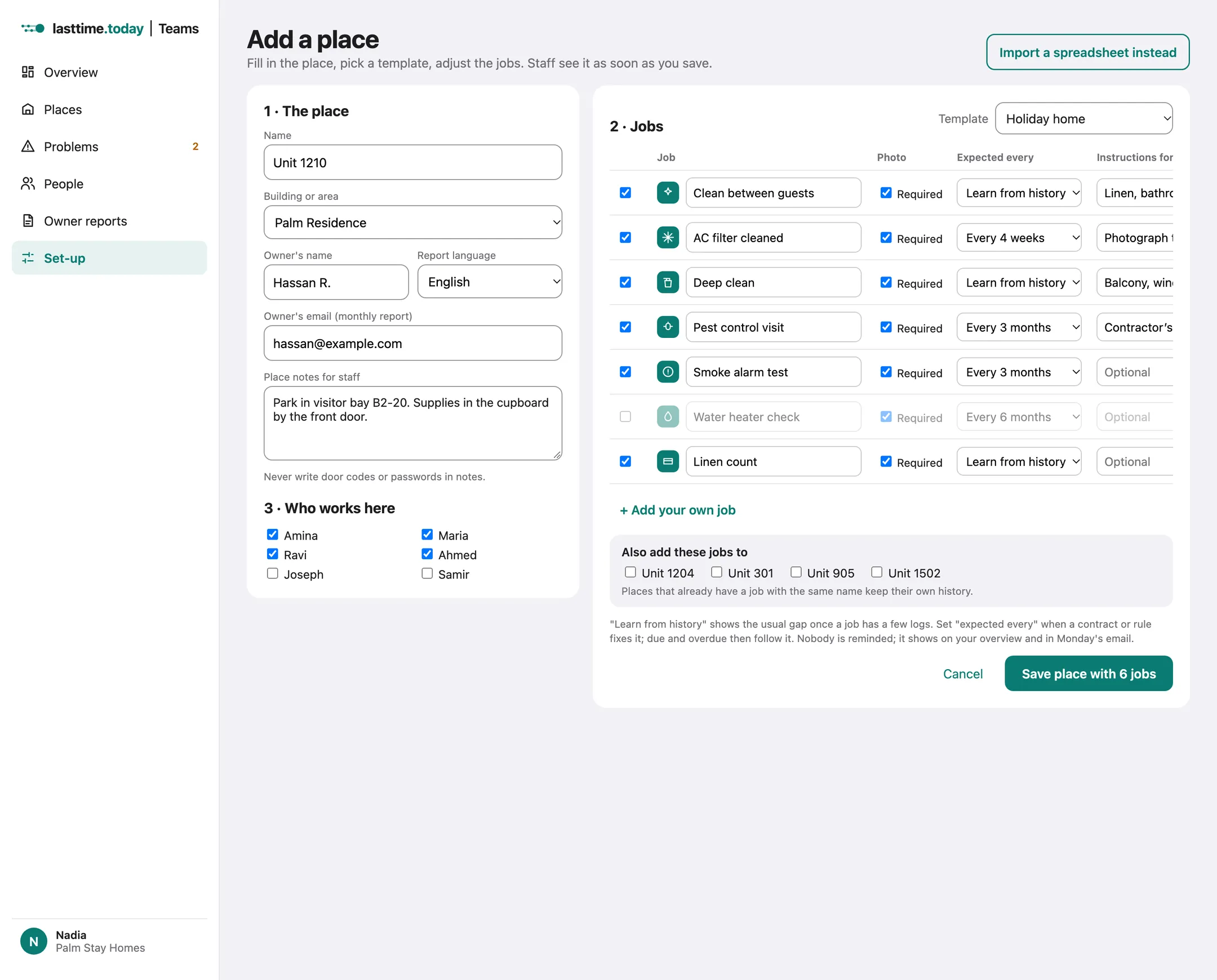
Add the places, pick the jobs
Name the unit, add the owner's email and pick the "Holiday home" template. Untick what doesn't apply, add your own, and set "expected every" only where a contract fixes it. Copy the jobs to the other units in one go.
Staff log it in two taps and a photo
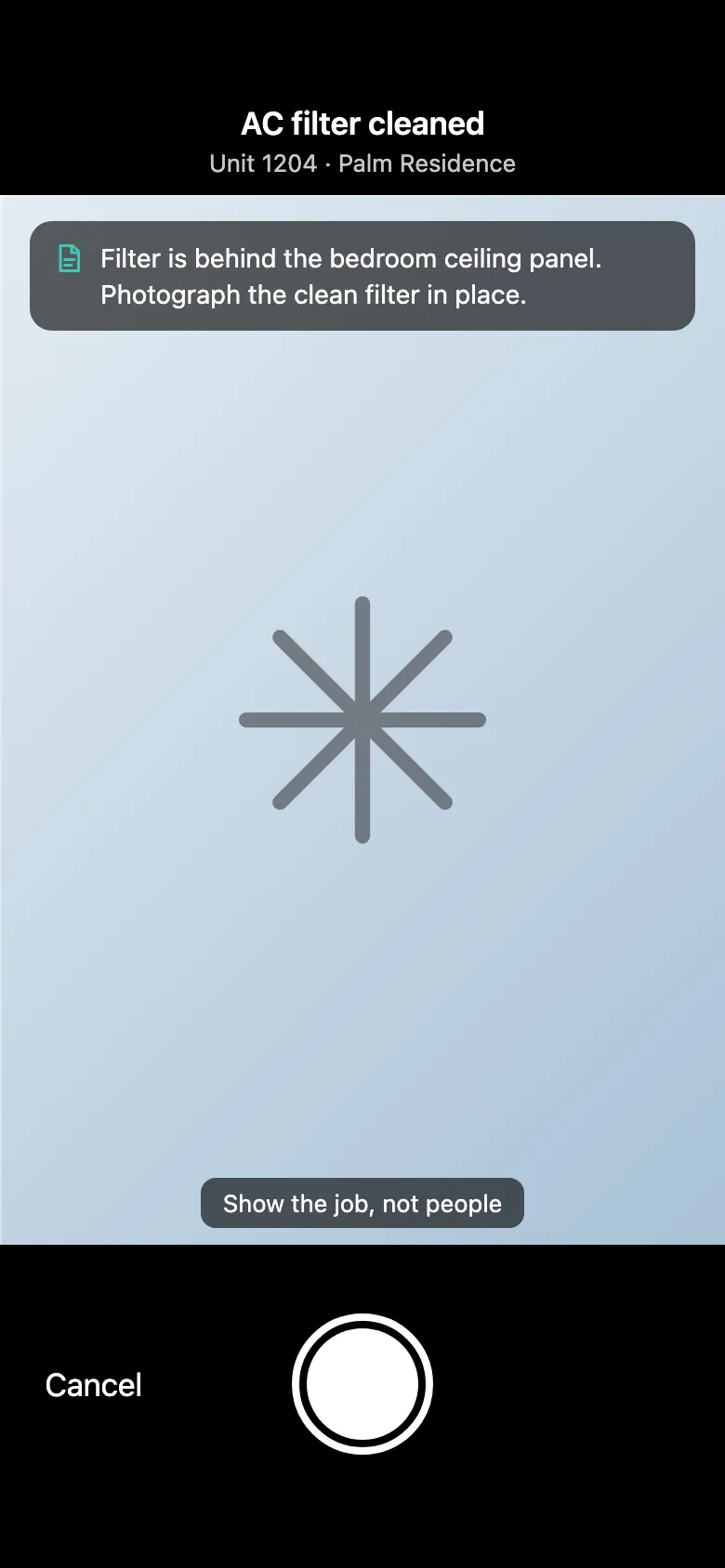
Ravi taps + on the job and the camera opens with the job's instructions. Photo, Save, done. No signal on the roof? It waits on the phone and uploads later, keeping the time he tapped.
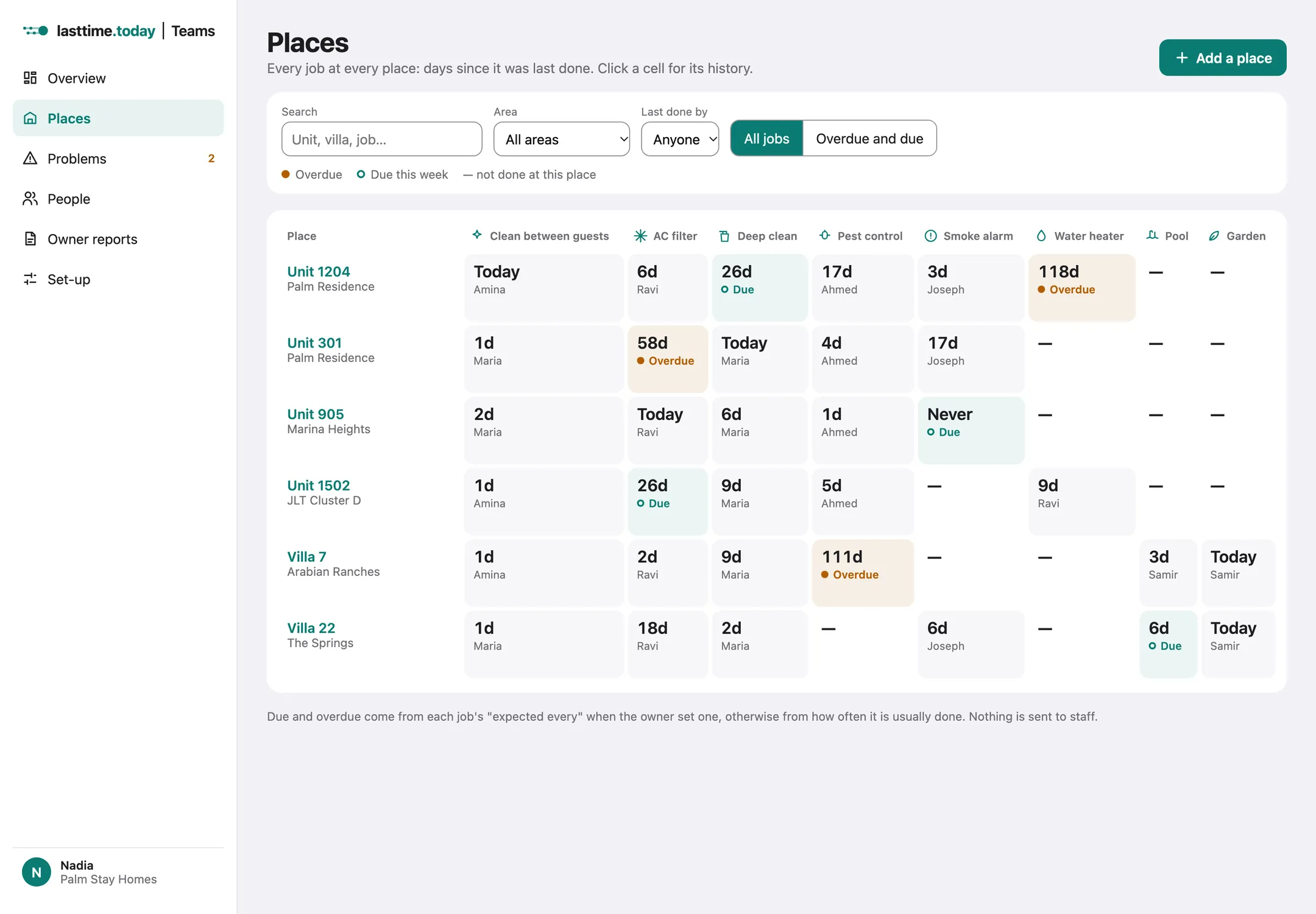
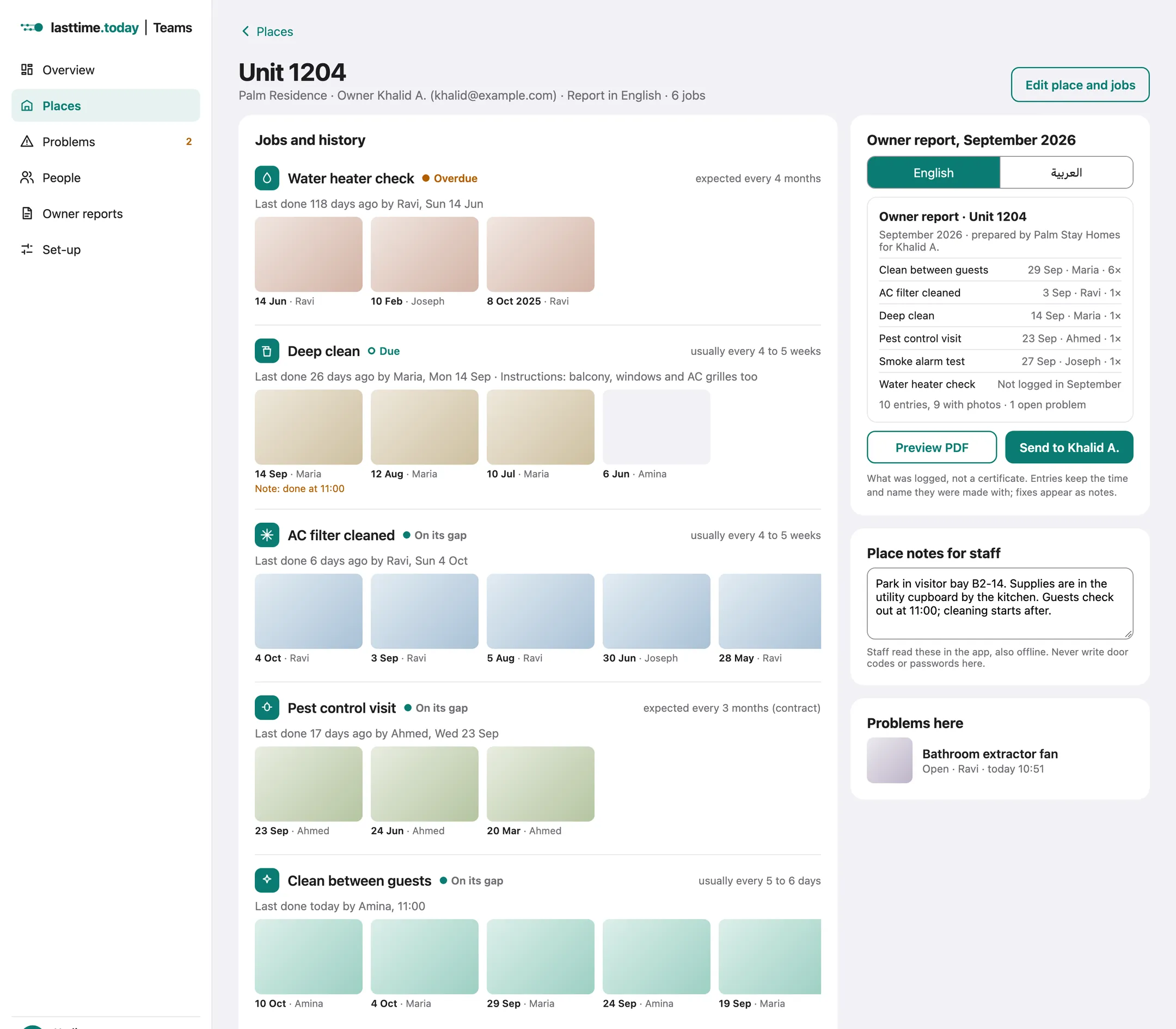
See every job at every place
Days since each job, who did it, and the photo one click away. Overdue and due stand out, worked out from each job's own rhythm. No schedule to build first.
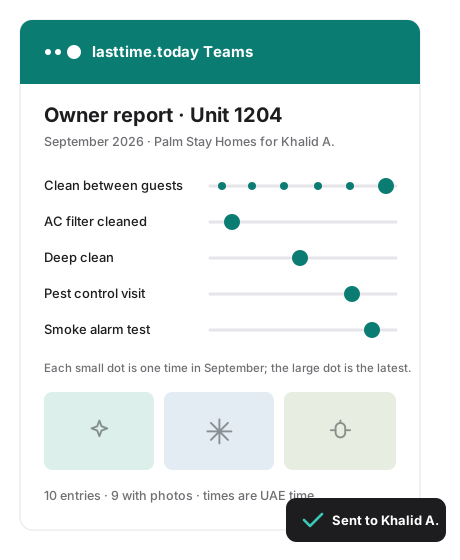
Send each owner their report
One PDF per place, in English or Arabic, ready on the 1st. Every job, when it was last done, by whom, with photos. Owners abroad see their home is looked after.
The staff side
A day with Ravi
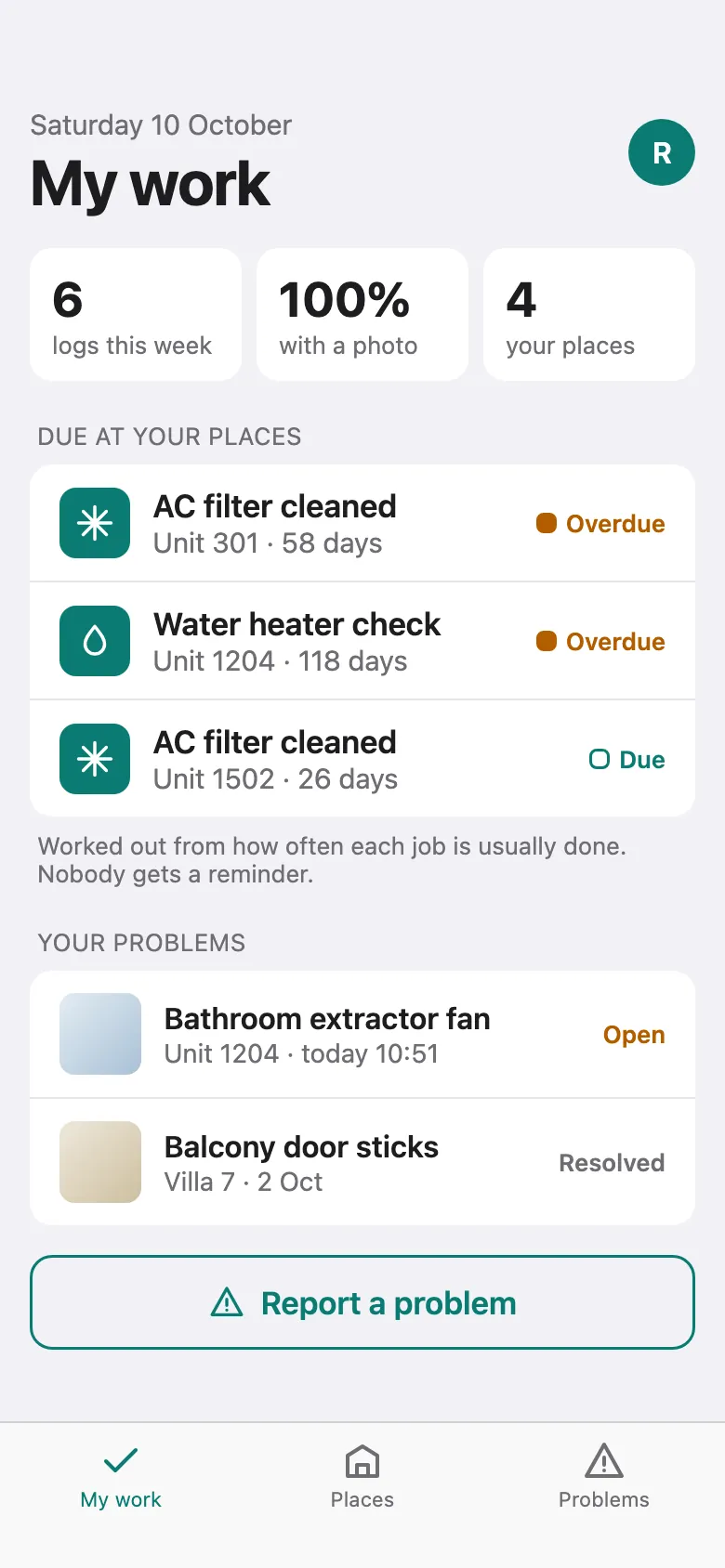
AC and maintenance at four of Nadia's places. The app does a few things, quickly.
- My work
His places, what's due there and his week. Quiet labels, no alerts.
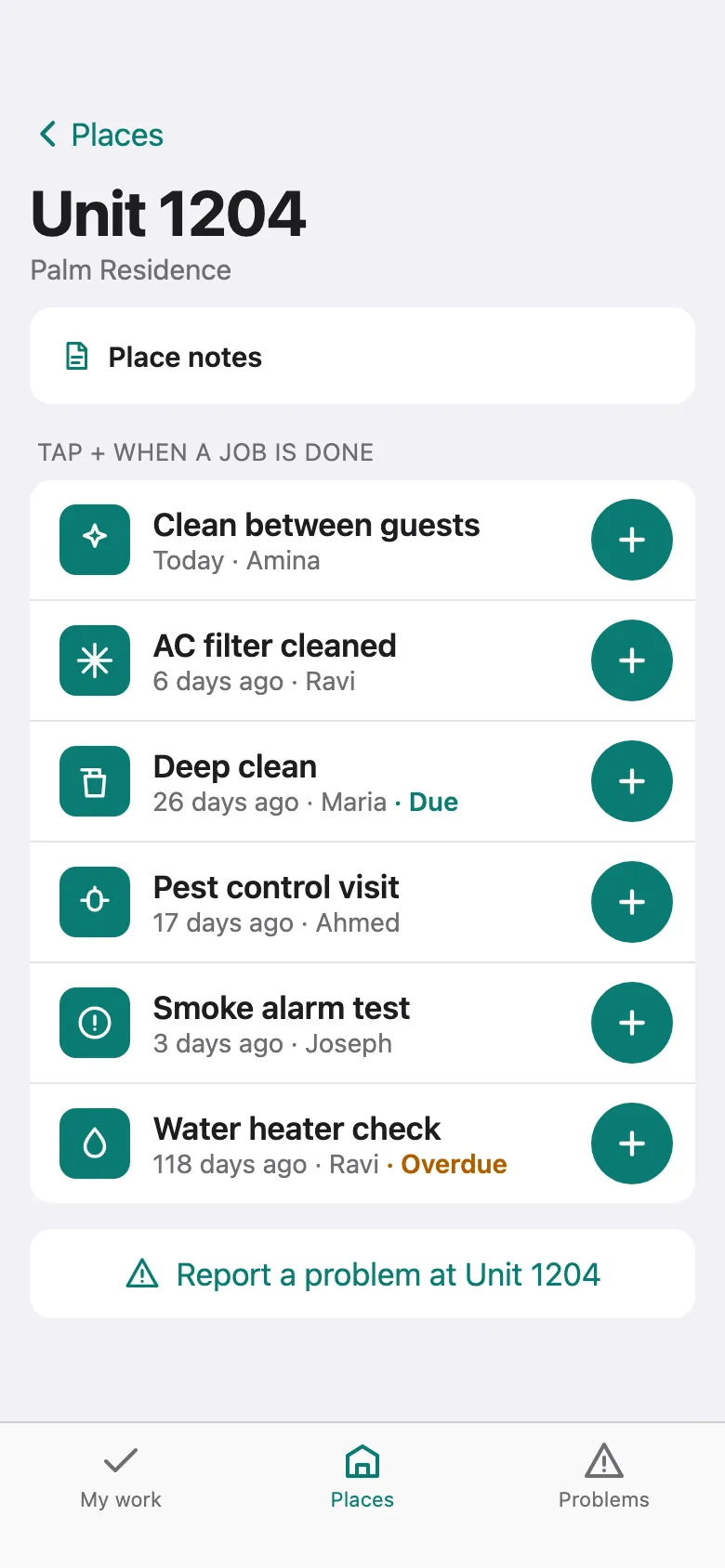
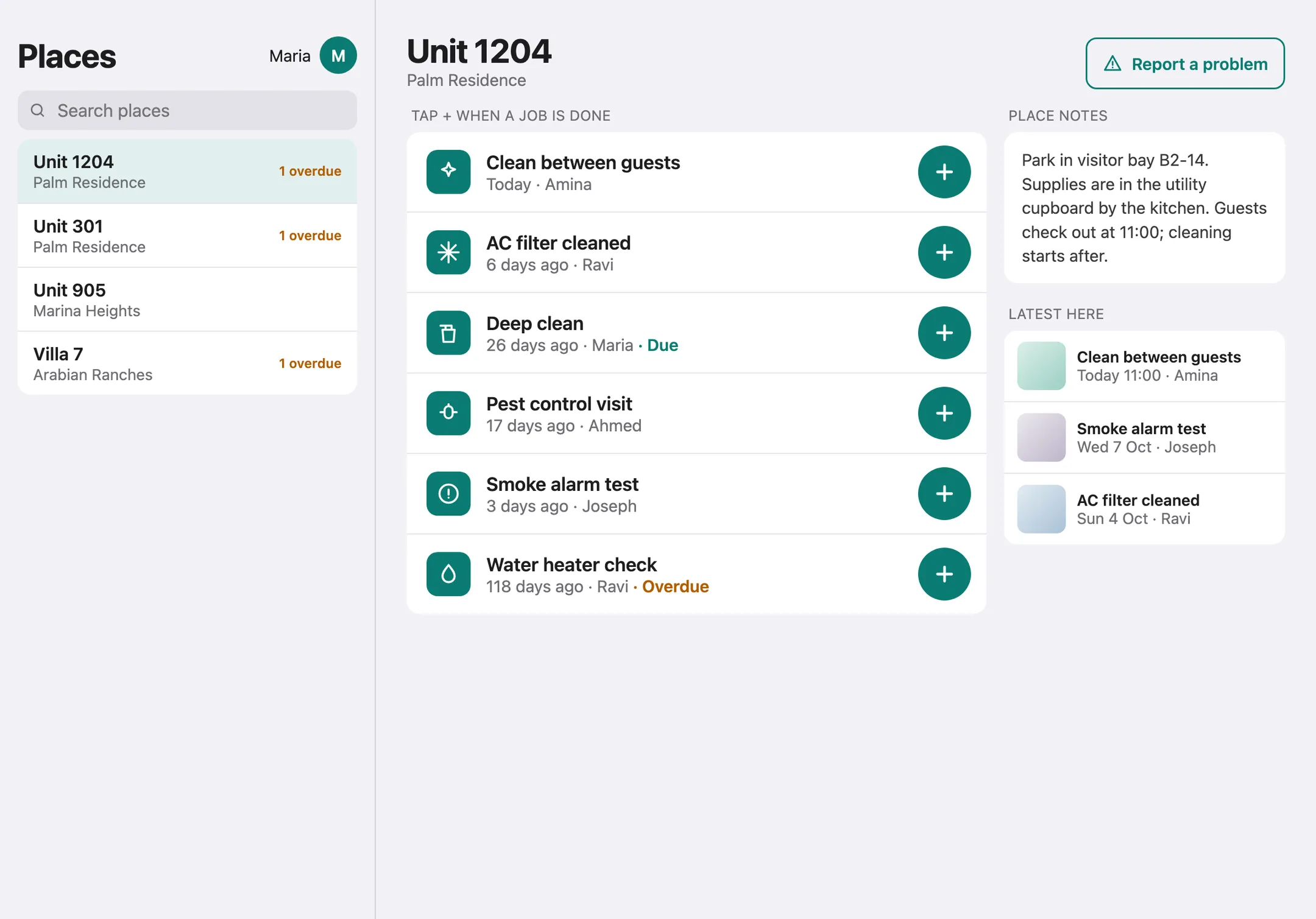
- Unit 1204
Place notes say where to park and where the supplies are.
- + and a photo
AC filter cleaned. Nadia sees it at once; it goes in October's report.
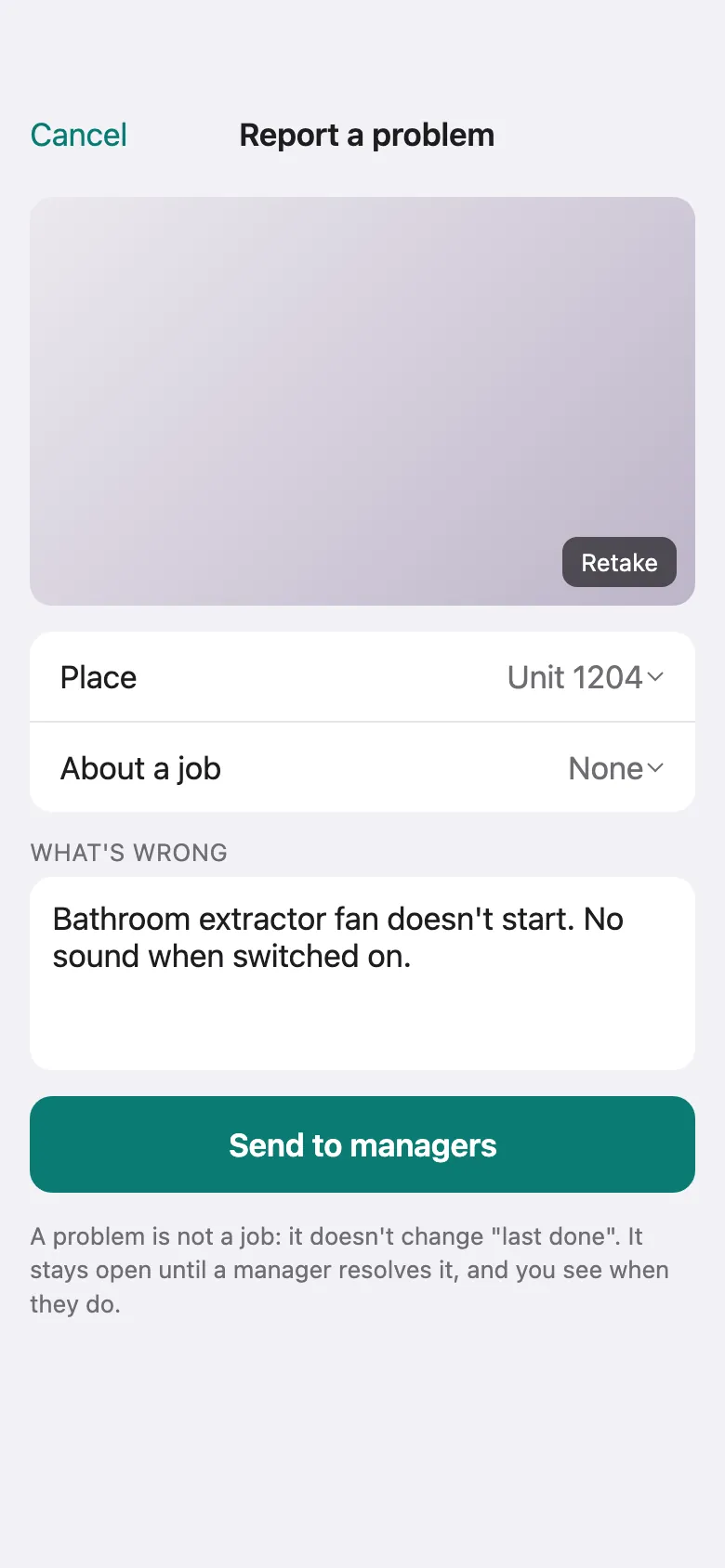
- Report a problem
The bathroom extractor fan is dead. Photo, a note, sent. He'll see when it's resolved.
- Fix his own entry
Logged it late? He adds a note. The original time and name stay.
Reminders, done right
Due and overdue, without nagging anyone
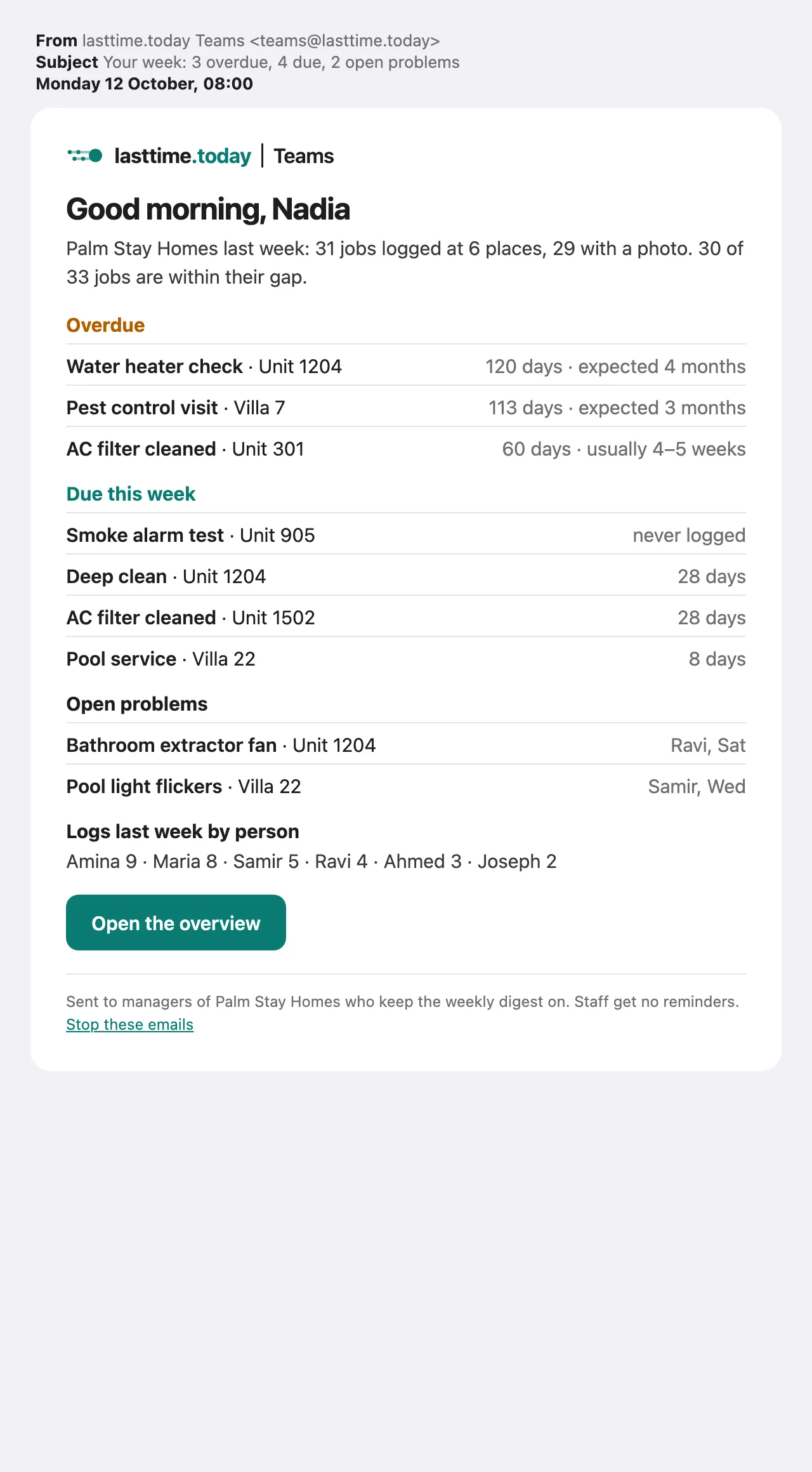
Teams knows how often each job is usually done, so you see what's slipping without building a schedule. Your team just works.
- Set "expected every" when a contract says so, like pest control every 3 months. Otherwise Teams learns it.
- Managers see due and overdue on the dashboard, and in one email on Monday morning.
- Staff see a quiet "Due" label. Nobody gets pinged.
Shared devices
One iPad for the whole team
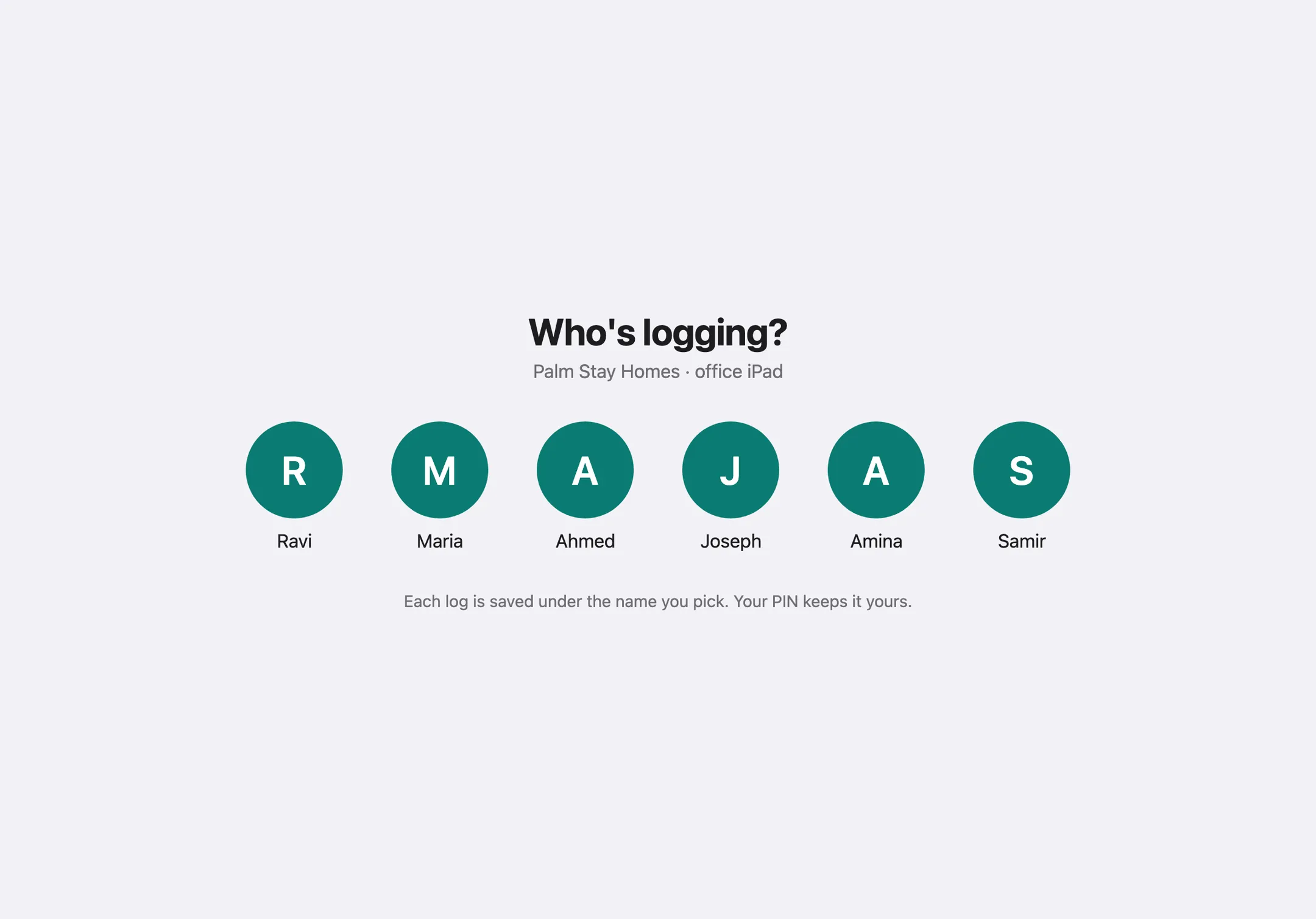
Keep an iPad in the office or the staff room. Each person taps their name and enters their own PIN, so every log carries the right name. Places on the left, jobs on the right.
- Enrol it from the dashboard with a one-time code.
- Works with no signal; logs upload when it's back.
What you get
Every place at a glance
Every unit, villa, building or client site, with when each job was last done and by whom.
Proof with every job
A photo with every log. The name and time are filled in and can't be changed; fixes are added as notes.
Reports your clients trust
A monthly PDF for each place in English or Arabic, ready to send on the 1st.
Problems don't get lost
Staff report a problem with a photo. It stays open until a manager resolves it with a note.
Price
| Teams accountIncludes 10 places and 15 staff | AED 99 a month |
| Extra placeBeyond the first 10 | AED 9 a month |
| Pay yearlyTwo months free | AED 990 a year |
Prices in UAE dirhams.
Reserve a founding place
Pay your first month now as a refundable deposit: AED 99 for up to 10 places, AED 189 for up to 20. It becomes your first month at launch. Changed your mind before then? Full refund. If Teams does not launch, every deposit comes back.
- Today's price for your first 12 months.
- Your places and jobs set up with you.
- A direct say in what we build first.
Or start now with a pilot
A paid one-month pilot: your staff log jobs with the free lasttime.today app on shared iPhones that we set up with you, and we prepare your owner report by hand at the end of the month. Same price as a month of Teams.